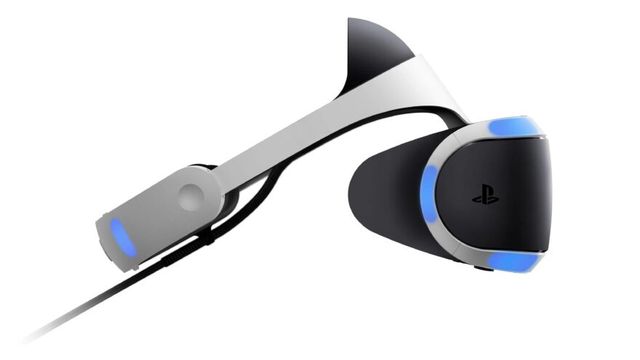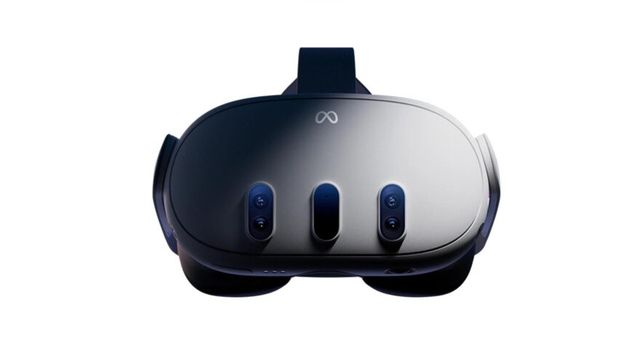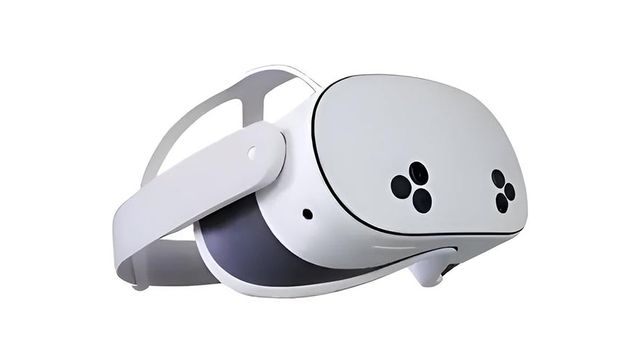
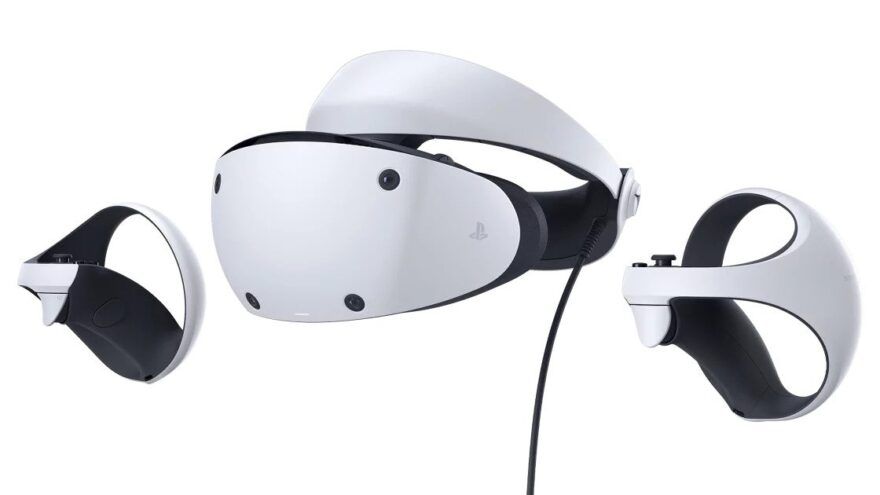
This PSVR 2 porn guide gives you the realistic 2026 setup. You can watch VR porn on PlayStation VR2, but VR Porn Dog recommends the PC adapter route, not a PS5-only workflow. PSVR2 is wired, powerful, and sharp, but it is not a simple standalone headset like Meta Quest 3 or Quest 3S.
Method 1: PSVR 2 Porn Streaming
Streaming is the fastest way to test PSVR 2 porn on the PC adapter route. No headset sideloading is required, but PSVR2 must already be connected to Windows through the PC adapter, PlayStation VR2 App, and SteamVR.
- Set up PSVR2 with the PC adapter and confirm SteamVR sees the headset.
- Open VRPorn.com on the Windows PC.
- Choose a scene with a 180-degree side-by-side format.
- Start with a lower stream quality while testing your browser or player.
- Open the stream in a PCVR-compatible browser or SteamVR video player.
- Accept the VR or WebXR prompt if your player shows one.
- Recenter the view before the scene starts.
Streaming is best for testing PSVR2 porn quickly. It depends on your PC browser, SteamVR player, internet speed, and the site’s playback support, so do not judge the headset from one failed stream. If the stream looks soft or buffers, use the download method below.
Method 2: PSVR 2 Porn Download for Higher Quality
Download for the sharpest PSVR 2 porn quality. The wired PC adapter route works well with local files because you can choose the resolution, avoid buffering, and set the exact projection mode in your SteamVR video player.
- Open VRPorn.com on the Windows PC.
- Pick a scene and choose a 6K download first.
- Try 8K only after 6K plays smoothly.
- Open the file in a SteamVR video player.
- Set the player to 180-degree side-by-side.
- Recenter the view and adjust zoom only if the scale feels wrong.
Downloads are the safer PSVR2 choice when you care about image quality. VRPorn.com is useful here because one membership gives you enough scenes, studios, and resolution options to test the headset properly before joining narrower sites.
PSVR2 can look excellent because the headset uses OLED panels, 2000 x 2040 pixels per eye, and about a 110-degree field of view. The tradeoff is friction. You lose some PSVR2 features on PC, and the PS5 route is too limited to be the main recommendation.
Quick Answer: Best PSVR 2 Porn Setup
The PC adapter setup is the best route for PSVR 2 porn because it gives you the broadest playback options. Treat PSVR2 as a wired PCVR headset, then use a VR porn site with strong downloads, a PCVR-friendly web player, or a SteamVR video player.
| You Need | Best Choice for PSVR 2 Porn | Why It Matters |
|---|---|---|
| Headset | PlayStation VR2 | OLED contrast and 2000 x 2040 per-eye panels |
| Adapter | PlayStation VR2 PC adapter | Required for normal PSVR2 PC use |
| Cable | DisplayPort 1.4 cable | Sold separately and required by Sony’s PC setup |
| Apps | Steam, SteamVR, PlayStation VR2 App | Handles headset setup, firmware, and SteamVR access |
| PC | Windows 10 or Windows 11 gaming PC | PSVR2 PC mode needs Windows and a dedicated GPU |
| Bluetooth | Built-in Bluetooth or compatible adapter | Needed for PSVR2 Sense controller pairing |
| Content | Download-friendly VR porn site | Keeps playback inside normal PCVR tools |
Use this setup:
- Check your PC against Sony’s PSVR2 PC requirements.
- Install Steam, SteamVR, and the PlayStation VR2 App on Steam.
- Connect the PSVR2 PC adapter to USB 3.0, DisplayPort 1.4, power, and the headset.
- Pair both PSVR2 Sense controllers over Bluetooth.
- Open SteamVR and finish the PlayStation VR2 App setup.
- Use a PCVR-compatible browser or SteamVR video player.
- Choose 180-degree side-by-side video unless the site tells you otherwise.
PSVR 2 on PS5 vs PC Adapter
Pick the PC adapter route over PS5-only playback for PSVR 2 porn. The headset was built for PS5 games, but adult VR video playback is cleaner when PSVR2 runs as a wired PCVR headset. The PC adapter route is more work, yet it is the route with normal VR video tools.
| Route | Works for PSVR 2 Porn? | Best For | Main Problem |
|---|---|---|---|
| PS5 only | Limited | People testing what they already own | No clean adult-video workflow |
| PC adapter | Yes, recommended | Existing PSVR2 owners with gaming PCs | Needs adapter, cable, SteamVR, and setup time |
| Quest 3S or Quest 3 | Easier for most users | New buyers focused on VR porn | LCD contrast is weaker than PSVR2 OLED |
If you already own PSVR2 and a capable PC, use the adapter. If you only own a PS5, test playback before buying a subscription because it will not feel like Quest-style browser streaming. If you are shopping for a headset mainly for VR porn, compare Quest 3S, Quest 3, and Apple Vision Pro before PSVR2. Our ranking of the VR headsets we’d buy for porn instead puts all of them side by side.
How to Set Up PSVR 2 Porn on PC
Complete the official PSVR2 PC setup before touching any adult site. That keeps the hard part separate from playback testing. Once SteamVR sees the headset correctly, you can troubleshoot the VR porn player, video format, or browser without guessing whether the headset itself is the problem.
Sony lists the core PC requirements as Windows 10 or Windows 11, 8GB RAM or more, USB 3.0, Bluetooth 4.0 or later, DisplayPort 1.4, and a supported dedicated graphics card. Sony recommends an NVIDIA RTX 3060 or later, or an AMD Radeon RX 6600XT or later, for better performance.
- Install the latest GPU driver.
- Install Steam.
- Install SteamVR.
- Install the free PlayStation VR2 App from Steam.
- Connect the PSVR2 PC adapter directly to your PC’s USB 3.0 port.
- Connect the adapter to your PC’s DisplayPort port with a DisplayPort 1.4 cable.
- Connect power to the adapter.
- Connect the PSVR2 headset to the adapter’s USB-C port.
- Turn on the headset.
- Pair the left and right Sense controllers in Windows Bluetooth settings.
- Open the PlayStation VR2 App and follow the setup screens.
- Open SteamVR and test a normal VR app before trying VR porn.
Do not use DisplayPort over USB-C for the adapter. Sony says the adapter needs a direct Mini DisplayPort or standard DisplayPort output, not DisplayPort over USB-C. Also avoid USB hubs and extension cables during setup because they add another failure point.
Best PSVR 2 Porn Sites
PSVR2 users should choose sites with strong downloads first. Streaming can work on PCVR if the browser and site support it, but downloads give you more control over resolution, format, and player choice. Pick a site that labels 180-degree SBS files clearly.
1. VRPorn.com

VRPorn.com is the easiest starting point for PSVR 2 porn because one subscription covers a large multi-studio library. It is useful when you are still testing PSVR2 playback because you can compare many studios, resolutions, scene types, and file presets without joining several separate sites.
Choose VRPorn.com if you want the broadest library before dialing in your PCVR player.
2. VR Bangers

VR Bangers is a strong PSVR2 pick because its higher-resolution downloads suit wired PCVR playback. The headset’s OLED panels help darker rooms, saturated lighting, and contrast-heavy scenes look richer than they do on many LCD standalone headsets.
Choose VR Bangers if you care about high-bitrate downloads, polished scenes, and strong production values.
3. Czech VR

Czech VR works well for PSVR2 users who prefer downloaded playback. The library is consistent, the European casting is strong, and the network gives you several related sites if you want more niches from one subscription path.
Choose Czech VR if you want reliable 180-degree downloads and good value across a large Euro VR catalog.
4. BaDoinkVR

BaDoinkVR remains a good PSVR2 option because its scenes often emphasize close framing, room contrast, and performer presence. Those are the areas where PSVR2’s OLED display can still feel premium despite the extra PC setup.
Choose BaDoinkVR if you want a familiar premium studio with high-resolution files and strong performer-driven scenes.
Best Video Settings for PSVR 2 Porn
Start with 6K downloads, then test 8K only if your PC handles playback smoothly. PSVR2 has sharp panels, but video decode performance still depends on your GPU, player, and file. A smooth 6K scene beats a stuttering 8K scene.
| Setting | PSVR 2 Recommendation | Why |
|---|---|---|
| Format | 180-degree SBS | Standard for most VR porn scenes |
| Streaming | 4K to 5K first | Easier to test browser stability |
| Download | 6K first, 8K if smooth | Good balance of clarity and performance |
| Frame rate | Match the source file | Avoid unnecessary player conversion |
| SteamVR render resolution | Start at default | Raise only after playback is stable |
| Motion smoothing | Turn off if video looks warped | Better for fixed-camera video playback |
| Player mode | Recenter before starting | Keeps the performer at natural scale |
If a scene looks flat or doubled, the projection mode is usually wrong. Switch between 180 SBS, 180 OU, 360 SBS, and flat 2D only if the site labels the file that way. Most modern VR porn is 180-degree side-by-side.
PSVR 2 Specs That Matter for Porn
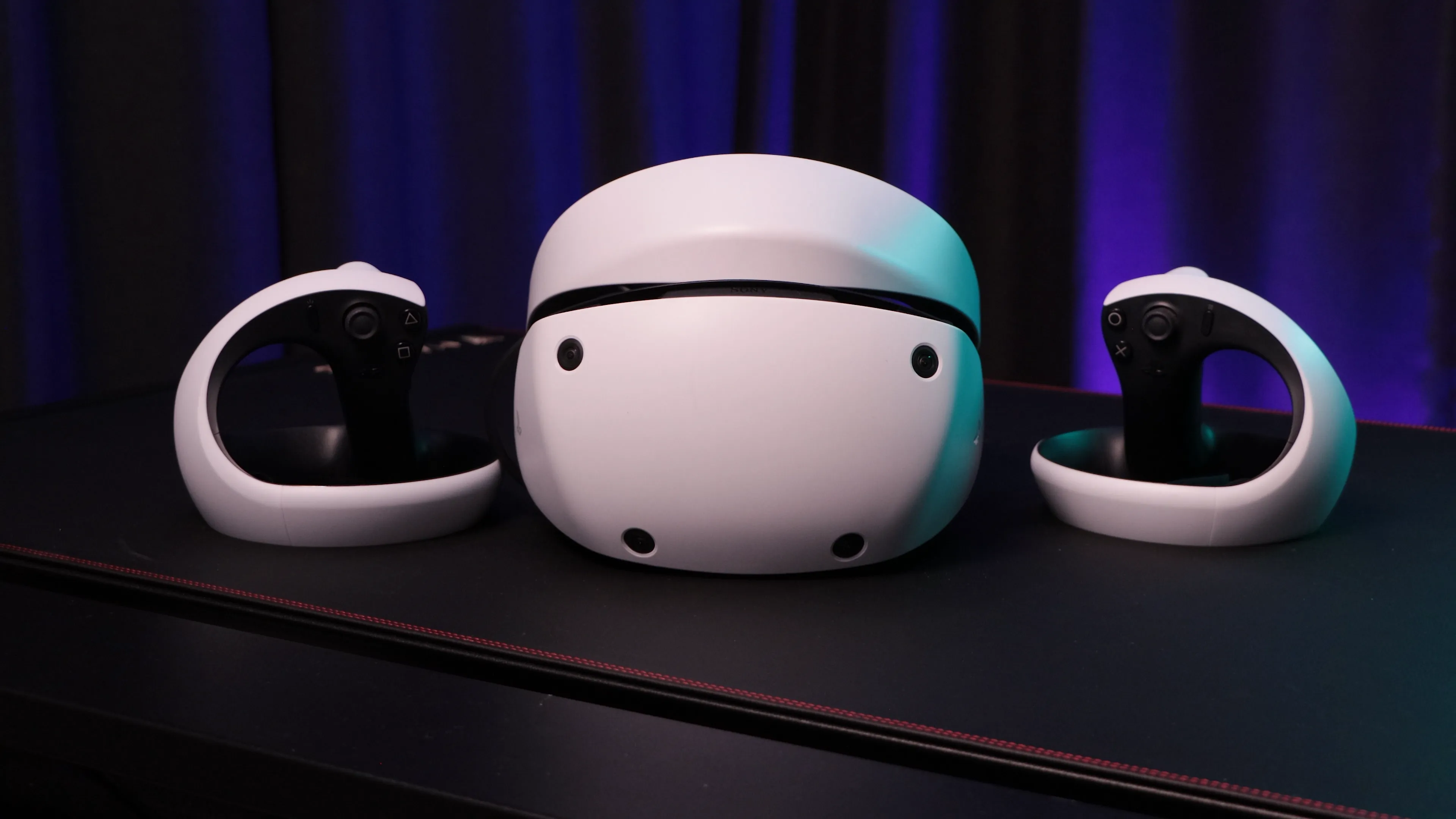
PSVR2 still has hardware strengths that matter for VR porn. Sony’s official tech specs list OLED panels, 2000 x 2040 resolution per eye, 90Hz and 120Hz refresh rates, approximately 110 degrees of field of view, and headset tracking from four embedded cameras.
| Spec | PSVR 2 |
|---|---|
| Display | OLED |
| Resolution | 2000 x 2040 per eye |
| Refresh rate | 90Hz, 120Hz |
| Field of view | Approx. 110 degrees |
| Tracking | Four embedded cameras |
| Eye tracking | Built into headset, not supported on PC |
| PC connection | PSVR2 PC adapter plus DisplayPort 1.4 |
| Best visual strength | Contrast, black levels, color punch |
| Main VR porn weakness | Extra setup compared with standalone Quest |
The important caveat is PC feature support. Sony says HDR output, headset feedback, VR headset eye tracking, Sense controller adaptive triggers, and Sense controller haptic feedback are not supported when PSVR2 is used on PC. Basic controller vibration still works, but adult video playback rarely needs the controller features anyway.
Common PSVR 2 Porn Problems and Fixes
Solve PSVR2 setup problems in this order: connection, SteamVR detection, controller pairing, then video format. Do not troubleshoot the adult site first if SteamVR cannot see the headset. The PC adapter stack has more moving parts than Quest browser playback.
| Problem | Likely Cause | Fix |
|---|---|---|
| Headset not detected | Adapter or DisplayPort issue | Connect directly to DisplayPort 1.4 and USB 3.0 |
| Controllers fail to pair | Bluetooth compatibility or low battery | Charge both controllers and use a compatible Bluetooth adapter |
| SteamVR opens but video is flat | Wrong projection mode | Select 180-degree SBS in the player |
| Image stutters | File too heavy or render settings too high | Drop from 8K to 6K and lower SteamVR render resolution |
| No HDR on PC | Expected PSVR2 PC limitation | Do not troubleshoot this; Sony does not support HDR output on PC |
| Eye tracking missing | Expected PSVR2 PC limitation | Use normal fixed-render playback |
| Scene feels too close | Player zoom or scale setting | Recenter, reset zoom, and avoid artificial zoom until needed |
For privacy, use a separate Windows profile or private browser session if other people use the same PC. Keep downloaded files in a clearly named local folder, and delete site cookies if you test multiple players or browsers.
PSVR 2 vs Quest 3S and Quest 3
We recommend Quest 3S or Quest 3 for most new VR porn buyers, even though PSVR2 has better OLED contrast. Quest headsets stream directly from the headset browser, install VR video players easily, and do not need a PlayStation adapter stack. The full PSVR 2 vs Meta Quest 3 comparison breaks that decision down spec by spec.
| Headset | Best VR Porn Fit | Strength | Weakness |
|---|---|---|---|
| PSVR2 | Existing PSVR2 owner with gaming PC | OLED contrast | Wired PC adapter setup |
| Quest 3S | Budget new buyer | Standalone browser and color passthrough | Fresnel lenses |
| Quest 3 | Best all-around standalone pick | Pancake lenses and easy streaming | LCD blacks |
| Apple Vision Pro | Premium image quality | Very sharp display | High price |
Use PSVR2 if you already own it, want OLED contrast, and do not mind PCVR setup. Choose Quest if you want the simplest path to streaming VR porn tonight. Choose Apple Vision Pro only if price is secondary and you want the sharpest premium playback route.
PSVR 2 Porn FAQ
Can you watch VR porn on PSVR 2?
Yes. Use PSVR2 through the PC adapter with SteamVR and a VR-ready Windows PC. The PS5-only route is too limited for a clean adult-video workflow.
Can PSVR 2 stream VR porn in the headset browser?
Not like Quest. PSVR2 does not behave like a standalone browser headset. On PC, browser playback depends on your PCVR browser, SteamVR, and the adult site’s WebXR support. Downloads are more reliable.
What resolution should I download for PSVR 2 porn?
Start with 6K. Move to 8K only if your PC, player, and storage handle it smoothly. PSVR2’s display is sharp enough to benefit from high-quality files, but smooth playback matters more than chasing the largest file.
Does PSVR 2 passthrough porn work?
No, not in the way Quest 3, Quest 3S, and Apple Vision Pro handle passthrough porn. PSVR2 has cameras for tracking and see-through view, but it is not a good target for modern color AR porn scenes.
Should I buy PSVR 2 mainly for VR porn?
Buy PSVR2 mainly for VR porn only if you also want PS5 VR games or already own the headset and a gaming PC. For porn-first buying, pick Quest 3S, Quest 3, or Apple Vision Pro depending on budget.