Yes, you can watch VR porn on the Apple Vision Pro. Open Safari, play any 180° video on a site like VRPorn.com, and tap Allow; there is no app to install. VR Porn Dog rates the Apple Vision Pro 8/10 for VR porn. It has the sharpest displays of any VR headset: 23 million pixels across dual micro-OLED panels with foveated rendering driven by eye tracking. We tested streaming, sideloaded playback, spatial video, and passthrough AR porn on the Vision Pro over four months. The image quality is stunning. Every skin pore, every fabric texture, every strand of hair resolves at a level no other headset matches. The catch: at $3,699, it costs more than 6x as much as a Meta Quest 3 that delivers 90% of the VR porn experience.
This guide covers WebXR streaming in Safari, sideloading DeoVR, the best VR porn sites, spatial video, AR porn, bed mode, sex toy sync, and a full comparison with the Quest 3. If you already own a Vision Pro and want to get started, our pick is VRPorn.com. One subscription gives you 45,000+ scenes that all stream through Safari WebXR.
For the newer model with the M5 chip, see our Apple Vision Pro 2 guide. Apple now sells the M5 Vision Pro as the current model, with 120Hz support, longer video playback, and the Dual Knit Band. This page remains the broad Apple Vision Pro setup guide. Watching on an iPhone instead? Our smartphone VR porn guide covers iPhone setup.
Method 1: WebXR streaming in Safari
Safari WebXR is the main way to watch VR porn on Apple Vision Pro. No apps to install, no sideloading, no settings to change. We tested this method with VRPorn.com, SexLikeReal, and BaDoinkVR and all three streamed correctly in immersive mode. First scene takes under 2 minutes.
- Open Safari on the Apple Vision Pro.
- Go to VRPorn.com.
- Log in or subscribe, pick any 180° or 360° stereoscopic video, and press Play.
- Tap Allow when Safari asks to enter an immersive experience. This prompt appears once per site.
- Safari switches into immersive WebXR mode and the scene wraps around you.
The WebXR Device API is what enables browser-based VR playback without a native app. Apple has shipped it on by default since visionOS 2, and every Vision Pro sold today ships with visionOS 26. Only the launch firmware, visionOS 1, hid WebXR behind Settings > Apps > Safari > Advanced > Feature Flags. If you still see that menu, update the headset under Settings > General > Software Update.
Method 2: Sideloading DeoVR for downloads
Sideload DeoVR for the sharpest Vision Pro image quality. Downloaded 8K files resolve more detail than 5K streams, and the Vision Pro’s 23-million-pixel displays expose that difference more than any other headset. Safari WebXR is limited to streaming quality, so downloads are the only way to unlock the full panel resolution.
- Install Xcode on a Mac (free from the Mac App Store).
- Download the DeoVR
.ipafile or access it via TestFlight if available. - Connect the Vision Pro to your Mac via USB-C.
- Sideload the DeoVR app through Xcode or use Apple Configurator 2.
- Transfer downloaded VR porn files to the Vision Pro’s storage.
- Open DeoVR on the headset and play the downloaded file.
Sideloading requires an Apple Developer account (free tier works for personal use). The process is more involved than on Quest 3 where DeoVR installs directly from the Meta Store. This is the trade-off for Apple’s locked-down App Store policy on adult content.
Before sideloading, compare DeoVR, HereSphere, Skybox, SLR, and Play’a in our best VR porn apps guide.
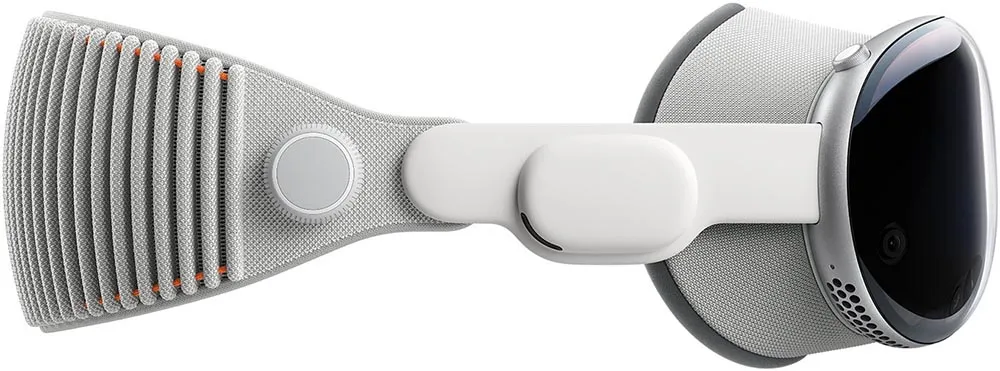
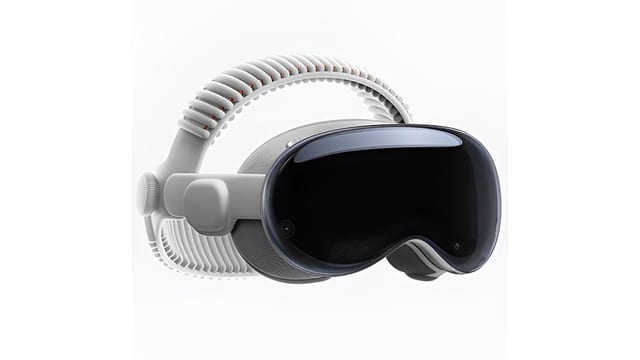
Apple Vision Pro specs
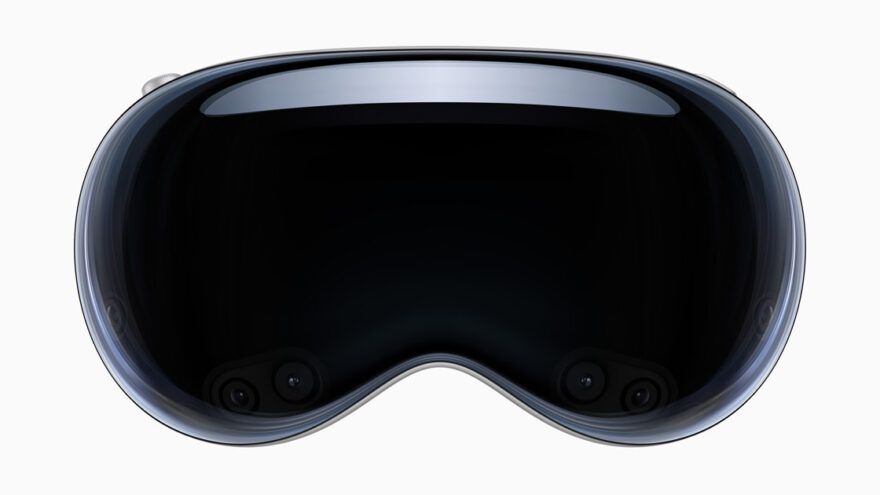
Three specs matter most for VR porn on the Vision Pro: the 23-million-pixel micro-OLED displays (the sharpest of any consumer headset), foveated rendering via eye tracking (the headset renders the highest detail exactly where you look), and high-resolution color passthrough (the best in the industry for AR porn).
| Spec | Apple Vision Pro |
|---|---|
| Our rating | 8/10 |
| 2026 price | $3,699 |
| Displays | Dual micro-OLED, 23 million pixels total |
| Resolution per eye | ~3660 x 3200 |
| Lenses | Pancake (triple-element) |
| Refresh rate | 90Hz / 96Hz / 100Hz / 120Hz |
| Processor | Apple M5 + R1 (sensor processing) |
| RAM | 16GB |
| Storage | 256GB / 512GB / 1TB |
| Passthrough | Color (highest resolution available) |
| Eye tracking | Yes (foveated rendering) |
| Hand tracking | Yes (primary input method) |
| Controllers | None included (PS VR2 Sense supported, sold separately) |
| Spatial video | MV-HEVC native playback |
| Battery | External pack, up to 2.5h general use / 3h video |
| Weight | 750-800g with Light Seal and Dual Knit Band |
| OS | visionOS 26 |
| Adult apps in store | No (WebXR or sideload only) |
The M5 + R1 dual-chip architecture is unique to Apple. The M5 handles rendering while the R1 processes data from 12 cameras, 5 sensors, and 6 microphones in real time. The Vision Pro has 12-millisecond photon-to-photon latency, which keeps passthrough responsive. You can see your real room and the VR content simultaneously with near-zero delay.
Best VR porn sites for Apple Vision Pro
All major VR porn sites work on the Apple Vision Pro through Safari WebXR, but three stand out for stream stability and immersive mode compatibility.
1. VRPorn.com

VRPorn.com (Review) is the best VR porn site for the Apple Vision Pro. One subscription unlocks 45,000+ scenes from 380 studios, all streaming through Safari WebXR. We tested a full session and the immersive mode triggered reliably on every video we played. VRPorn also bundles a VR Porn Games Pack with titles like Virt-A-Mate, Holodexxx, and VR Hand Revolution (a hand-tracked WebVR game that works in Safari WebXR on Vision Pro).
2. VR Bangers
VR Bangers (Review) is the best studio for visual quality on the Vision Pro. They shoot in 8K and the Vision Pro’s micro-OLED panels expose every bit of that resolution. We tested 6 scenes through Safari WebXR and the stream quality was the sharpest we have seen on any browser-based setup. For downloaded 8K files via sideloaded DeoVR, VR Bangers content looks exceptional on this headset.
3. BaDoinkVR
BaDoinkVR (Review) is the pick for cinematic production quality. They cast the industry’s top performers and invest in storylines that add depth beyond raw visuals. We tested 8 scenes on the Vision Pro through Safari and every one entered immersive mode correctly. BaDoinkVR’s 8K downloads are worth sideloading DeoVR for.
Passthrough AR porn on Apple Vision Pro
The Apple Vision Pro is the best headset for passthrough AR porn in 2026. The Vision Pro’s 12-camera array produces the highest-resolution color passthrough of any consumer headset. We tested AR porn from Czech AR and AR Porn Studio and the performers blended into the real room with minimal artifacts. The passthrough quality is noticeably sharper than the Quest 3 and Pico 4 Ultra.
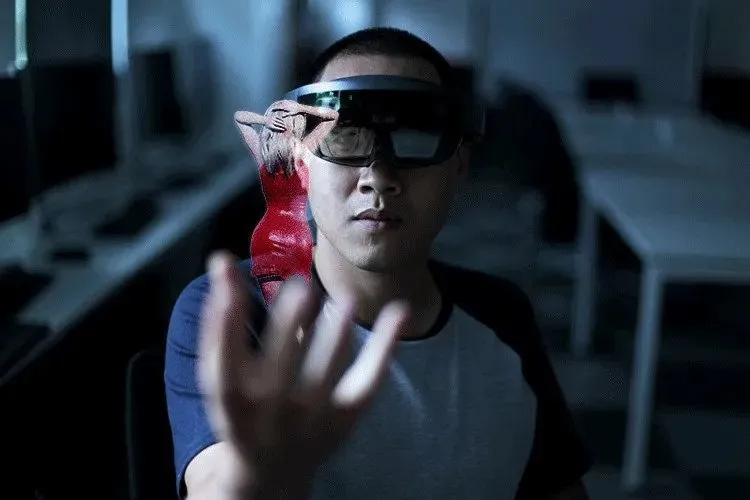
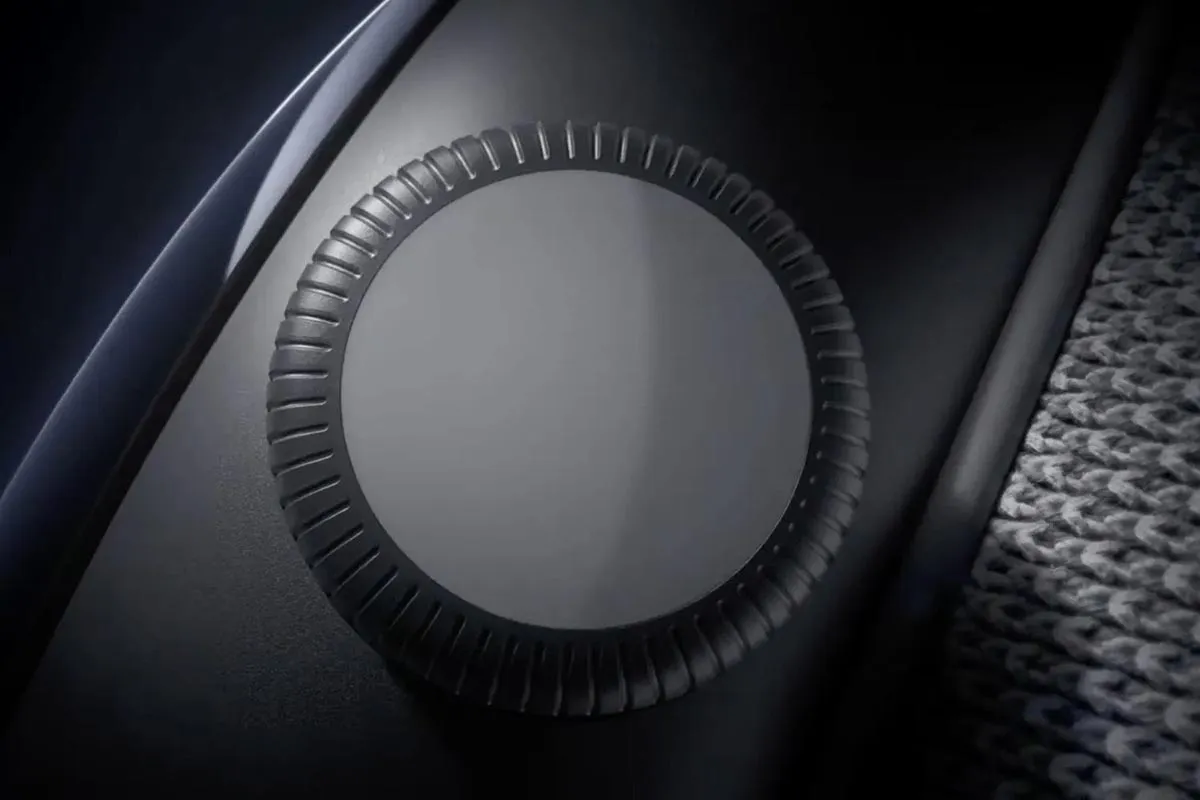
The Vision Pro’s Digital Crown controls immersion level. Turn it to blend more or less of the real world into your view. Full immersion blocks out your room entirely. Partial immersion lets you see your surroundings while the VR content plays in a floating window. We found partial immersion useful for keeping awareness of your environment during a session.
Apple also built an EyeSight feature that shows your eyes on the front display when passthrough is active, signaling to people nearby that you can see them. When fully immersed (likely watching VR porn), the display goes opaque. This is a privacy cue unique to the Vision Pro.
Spatial video on Apple Vision Pro
The Apple Vision Pro is also the best headset for spatial video playback. The Vision Pro plays MV-HEVC spatial video natively with a depth effect that adds genuine three-dimensionality. We tested spatial porn shot on iPhone 15 Pro and the result is a viewing experience between flat 2D video and full 180° VR. Objects and performers have real depth separation.
The Vision Pro also functions as a spatial video camera itself. You can record your own spatial content and play it back on the headset with the same depth effect. For couples, this opens up the possibility of recording personal content that plays back in immersive 3D.
Spatial video is an area where the Vision Pro has no real competition. The Quest 3 and Pico 4 Ultra support MV-HEVC playback via firmware updates, but Apple’s native integration is smoother and the playback quality is higher on the micro-OLED panels.
Using Apple Vision Pro in bed
Bed mode on the Apple Vision Pro works well for horizontal viewing. The key difference from Quest 3 bed mode: you reposition the video window instead of recentering the headset.
- Start playing a video in Safari or DeoVR.
- Grab the bottom bar of the player window and drag it above you to move it to the ceiling.
- Lie back and watch.
If the view drifts after rolling around, go to Settings > Eyes & Hands > Realign Displays and hold the Digital Crown. This recalibrates the tracking to your current position. Bed mode works best for POV cowgirl scenes, JOI videos, and content where you lie back and let the scene do the work.
The Vision Pro’s external battery pack sits beside you on the bed rather than on your head, which keeps the headset lighter on your face during horizontal use. We found this more comfortable than the Quest 3 with its internal battery adding front weight.
Sex toy sync on Apple Vision Pro
Interactive sex toy support works on the Apple Vision Pro. The pairing happens at the VR porn site level through Safari, not the headset itself. We tested The Handy on SexLikeReal through Safari WebXR and the sync worked correctly with the Handyverse connection code.
| Toy | Vision Pro sync | Notes |
|---|---|---|
| The Handy | Yes (WiFi via Handyverse code) | Largest script library, pairs through Safari |
| Kiiroo Keon | Yes (Bluetooth via FeelConnect) | Pairs through the FeelConnect web app |
| Lovense Max 2 | Yes (Bluetooth) | Pairs through Lovense web interface |
Since Apple blocks adult apps from the App Store, all toy pairing goes through browser-based interfaces. This works the same way as on any other headset: the VR porn site’s interactive player communicates with the toy over WiFi or Bluetooth. The headset is just the display.
Tips for the best Apple Vision Pro experience
Each of these tips makes a noticeable difference on the Apple Vision Pro.
- Tap Allow on the immersive-mode prompt. Safari asks once per site before it enters WebXR. Dismiss it by accident and the video plays flat; reload the page and press play again.
- Order Zeiss Optical Inserts if you wear glasses. The Vision Pro does not fit over glasses. Apple sells prescription Zeiss Optical Inserts that magnetically attach to the lenses. Sharp focus is critical for VR porn, and incorrect vision correction blurs the entire 23-million-pixel display.
- Connect to 5GHz WiFi for streaming. Safari WebXR streams at adaptive quality. A 200Mbps+ connection on 5GHz delivers stable 5K streams. The 2.4GHz band causes buffering and resolution drops.
- Plug the battery pack into a wall outlet. Apple rates the current battery at up to 2.5 hours of general use and 3 hours of video playback. A USB-C cable from the pack to an outlet gives you longer sessions.
- Use the Digital Crown to control immersion level. Turn it clockwise for full VR immersion, counterclockwise to blend in your real room. Partial immersion is useful for staying aware of your surroundings.
- Sideload DeoVR for the sharpest image. Safari WebXR streams at 5K max. Sideloaded DeoVR playing 8K downloaded files looks noticeably sharper on the micro-OLED panels.
- Clean the lenses before every session. The triple-element pancake lenses smudge easily. Use the included polishing cloth. Fingerprints are immediately visible on the micro-OLED displays.
Apple Vision Pro vs Quest 3
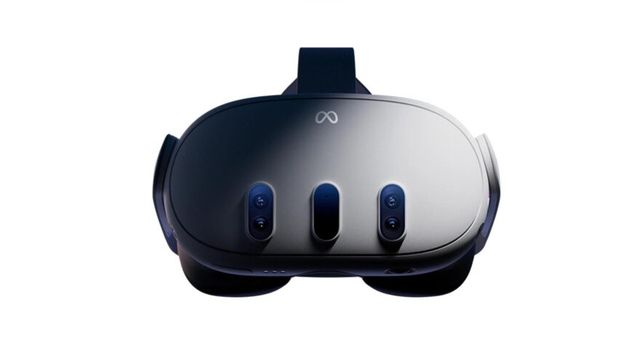
Head to head for VR porn, the Vision Pro wins on display quality and passthrough. The Quest 3 wins on value, ecosystem, and ease of setup.
| Feature | Apple Vision Pro | Quest 3 |
|---|---|---|
| 2026 price | $3,699 | $599 |
| Displays | Micro-OLED, 23M pixels | LCD, 2064x2208/eye |
| Lenses | Pancake (triple-element) | Pancake |
| Refresh rate | 90-120Hz | Up to 120Hz |
| Processor | M5 + R1 | Snapdragon XR2 Gen 2 |
| RAM | 16GB | 8GB |
| Storage | 256GB-1TB | 128-512GB |
| Passthrough | Best in class | High resolution |
| Eye tracking | Yes (foveated rendering) | No |
| Controllers | None included (PS VR2 Sense optional) | Yes + hand tracking |
| Adult apps in store | No | Yes (DeoVR, SLR) |
| WebXR setup | On by default | On by default |
| Spatial video | Native | Via update |
| Our rating | 8/10 | 9.5/10 |
The Quest 3 scores higher because VR porn value is not just about display quality. The Quest 3 has DeoVR and SLR in its app store with one-tap install. The Vision Pro has no adult apps at all: streaming lives in Safari, and downloads need a sideloaded player. The Quest 3 has native adult app support and costs about $3,100 less.
The Vision Pro earns its points on raw image quality. Those micro-OLED panels with foveated rendering produce the sharpest VR porn image available. If you already own a Vision Pro, VR porn looks fantastic on it. If you are buying a headset primarily for VR porn, the Quest 3 is the clear winner. And if you want micro-OLED sharpness with Quest apps for about a third of the Vision Pro’s price, look at the Meta VR Glasses, due in spring 2027 for $1,299.99.
Common Apple Vision Pro issues and fixes
Most problems trace back to flat 2D files, a dismissed immersive-mode prompt, or the external battery pack running low. The fixes below cover what we see most often.
| Issue | Fix |
|---|---|
| Safari won’t enter VR mode | Press play first, then tap Allow on the immersive-mode prompt. If no prompt ever appears, update to visionOS 2 or later under Settings > General > Software Update; only visionOS 1 hid WebXR behind Feature Flags. |
| Video plays flat (not immersive) | The video is 2D, not stereoscopic. Select a 180° or 360° SBS version from the VR porn site. |
| Blurry or low-res stream | Safari streams at adaptive quality. Check your WiFi speed (200Mbps+ recommended). For the sharpest image, sideload DeoVR and use downloaded 8K files. |
| Sex toy won’t pair | Pair the toy at the VR porn site level in Safari, not the headset settings. The Handy uses a Handyverse code, Kiiroo uses FeelConnect. |
| Battery dies mid-session | Apple rates the current battery at up to 2.5 hours of general use and 3 hours of video playback. Plug the pack into a wall outlet via USB-C for longer sessions. |
| Can’t find adult apps in the App Store | Apple blocks adult apps. Use Safari WebXR for streaming or sideload DeoVR via Xcode for downloaded playback. |
| View drifts in bed mode | Go to Settings > Eyes & Hands > Realign Displays and hold the Digital Crown to recalibrate. |
The #1 issue is the immersive-mode prompt. Safari asks for permission the first time a site tries to enter WebXR. Tap Allow. Dismiss it and the video plays flat in a window until you reload and press play again. Feature flags only applied to the launch firmware, visionOS 1; every current headset has WebXR on out of the box.
Apple Vision Pro porn FAQ
These are the Apple Vision Pro questions readers ask most, from setup and apps to free scenes, AR porn, bed mode, and toy sync. Each answer below is short and self-contained; the sections above cover every topic in full detail.
Can you watch porn on Apple Vision Pro?
Yes. VR porn works on the Apple Vision Pro through Safari, where WebXR is on by default. There are no adult apps in the App Store, but browser streaming and sideloaded players like DeoVR both work. We tested 10+ VR porn sites and all played correctly through Safari WebXR.
How do I watch VR porn on Apple Vision Pro?
Open Safari, go to a VR porn site like VRPorn.com, press play on any 180° or 360° video, and tap Allow when Safari asks to enter immersive mode. WebXR has been on by default since visionOS 2, so there is nothing to enable. It takes under 2 minutes. No sideloading or third-party apps needed for streaming.
What is the best VR porn site for Apple Vision Pro?
VRPorn.com is our pick as the best VR porn site for the Apple Vision Pro. One subscription unlocks 45,000+ scenes from 380 studios, and every scene we played entered immersive mode in Safari with no app. VR Bangers is our pick for the sharpest 8K image, and BaDoinkVR for story-driven scenes.
Is there free VR porn on Apple Vision Pro?
Yes. Free scenes on VRPorn.com and the Free tab on BaDoinkVR play in Safari on the Apple Vision Pro the same way paid scenes do: press play and tap Allow. Treat free scenes as samples: use them to test your setup before you subscribe; our free VR porn guide lists where to find more.
Are there VR porn apps for Apple Vision Pro?
No official adult apps exist in the App Store. Apple restricts adult content from the store. Safari with WebXR is the main method. You can also sideload DeoVR via TestFlight or Xcode for downloaded file playback.
Is Apple Vision Pro worth it for VR porn?
Only if you already own one for other reasons. We rate the Apple Vision Pro 8/10 for VR porn. The micro-OLED displays produce the sharpest image of any headset, but at $3,699 it costs more than 6x as much as a Quest 3 that delivers 90% of the VR porn experience. The Quest 3 is the better value for porn-focused buyers.
Apple Vision Pro vs Quest 3 for VR porn: which is better?
The Quest 3 is the better VR porn value (9.5/10 vs 8/10). The Vision Pro has sharper displays (23 million pixels) and better passthrough, but the Quest 3 has a larger adult app ecosystem, bundled controllers, and costs about $3,100 less. For VR porn specifically, the Quest 3 wins on value.
Can you watch AR porn on Apple Vision Pro?
Yes. The Apple Vision Pro is the best headset for passthrough AR porn. Its 12-camera array gives the sharpest color passthrough of any consumer headset, so performers blend into your real room with very few artifacts. We tested AR scenes from Czech AR and AR Porn Studio; our passthrough porn guide has the full setup.
Does Apple Vision Pro support spatial video porn?
Yes. The Apple Vision Pro plays MV-HEVC spatial video natively. Spatial porn shot on an iPhone 15 Pro has a depth effect that adds a layer of realism that flat video cannot match. Spatial video is a unique Vision Pro advantage that no other headset does as well.
Can I use Apple Vision Pro in bed for VR porn?
Yes. Grab the bottom bar of the player window and drag it above you to move the video to the ceiling. If the view drifts, go to Settings > Eyes & Hands > Realign Displays and hold the Digital Crown. It works well for POV scenes.
Does The Handy work with Apple Vision Pro?
Yes. The Handy syncs with the Apple Vision Pro over WiFi via the Handyverse connection code. The pairing happens at the VR porn site level through Safari, not the headset. Sync works on SexLikeReal through Safari WebXR.
Conclusion: Is Apple Vision Pro worth it for VR porn?
We rate the Apple Vision Pro 8/10 for VR porn. The micro-OLED displays produce the sharpest VR porn image of any headset. The passthrough is the best available for AR porn. Spatial video playback is a unique advantage. But at $3,699, it is not a VR porn headset. It is a productivity and mixed reality device that also happens to play VR porn very well.
If you already own a Vision Pro, open Safari and enjoy some of the best VR porn visuals available. If you are buying specifically for VR porn, the Quest 3 at $599 is the right choice. It has native adult apps, bundled controllers, and costs about $3,100 less.
Weighing both headsets head-to-head? Read our full Meta Quest 3 vs Apple Vision Pro comparison for the complete side-by-side breakdown on display, app ecosystem, passthrough, spatial video, and the $3,100 price gap. Comparing against Samsung’s micro-OLED rival instead? See Galaxy XR vs Apple Vision Pro. For six cheaper options, see the best headsets for VR porn, ranked.
For the newer M5 model, see our Apple Vision Pro 2 guide.