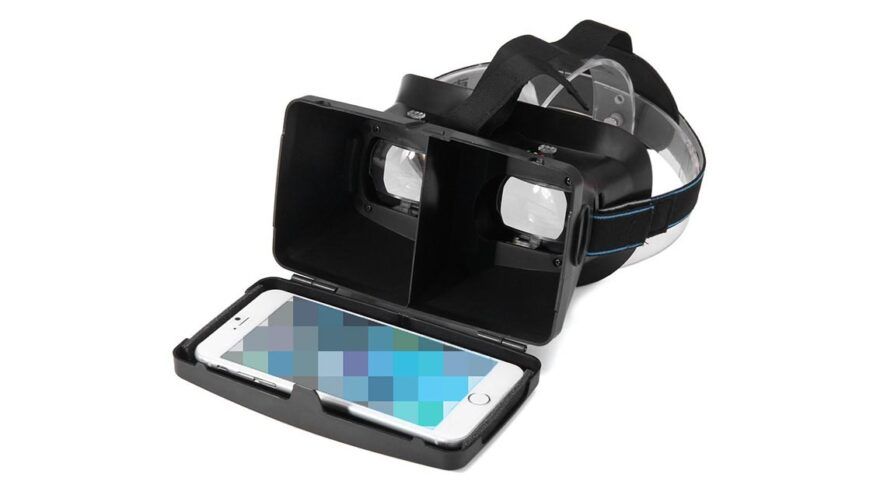
Smartphone VR porn still works in 2026, but VR Porn Dog treats it as a budget phone-viewer setup. You need an iPhone or Android phone, a phone VR viewer, and a site or player that supports 180-degree side-by-side video.
The fastest route is browser streaming. The sharper route is downloading a phone-friendly SBS file and opening it in a mobile VR player. If you want the simple modern option, compare this setup with the Meta Quest 3S porn guide before buying a phone viewer.
Start with VRPorn.com or another site from our best VR porn sites ranking. Use one short test scene first. Do not start with huge 8K downloads, passthrough scenes, or adult VR games.
Google still documents Cardboard setup around the phone, viewer, app, and QR calibration. The open source Cardboard SDK also frames Cardboard as a cross-platform Android and iOS VR stack. That means phone VR is still possible, but the phone, browser, and player decide most of the experience.
Method 1: Smartphone VR Porn Streaming
Streaming is the fastest smartphone VR porn test. It confirms your phone, viewer, browser, and site support mobile VR playback before you download large files. Use fast WiFi, a private browser tab, and a simple 180-degree SBS scene.
- Charge your phone above 50%.
- Connect to fast WiFi. Use 5GHz if possible.
- Open a private browser tab.
- Go to VRPorn.com or a site from the best VR porn sites list.
- Pick a 180-degree scene, not passthrough or a VR game.
- Tap the player’s VR, Cardboard, or SBS icon.
- Start playback before inserting the phone.
- Place the phone inside the viewer.
- Sit or lie down and adjust the phone until the two views align.
Streaming is convenient, but it depends on the site’s mobile player. If the VR icon does not appear, try another browser or use the download method below. If the image looks soft, lower stream compression is usually the problem.
You can also stream VR porn from PC to phone over your home WiFi with a media server app and a mobile VR player that reads network folders. That is an advanced route. Browser streaming from the site and a direct download to the phone cover most people.
Method 2: Downloading
Download when smartphone VR streaming works but looks blurry. Downloaded files avoid streaming compression and buffering. Use a mobile VR player that supports 180-degree SBS, then start with 4K or 5K files before trying larger downloads.
Android
- Open Google Chrome or another trusted browser on your phone.
- Go to your favorite VR Porn Site. If VRPorn.com is not your cup of tea, check our best VR porn sites ranking for reviewed, private, phone-friendly options.
- Find a video you want to watch and choose a mobile, phone, Cardboard, SBS, or 180-degree download option.
- Choose 4K or 5K for the first test.
- Download the file to your phone, or transfer it from a computer.
- Open the file in a trusted Android VR video player that supports 180-degree SBS.
- Select 180-degree SBS or the closest matching mode.
- Start playback before inserting the phone into your viewer.
iPhone
- Open Safari or another browser on your iPhone.
- Go to your favorite VR Porn Site. If VRPorn.com is not your cup of tea, check our best VR porn sites ranking for reviewed, private, phone-friendly options.
- Find a video you want to watch and choose a mobile, phone, Cardboard, SBS, or 180-degree download option.
- Choose 4K or 5K for the first test.
- Save the file to Files, or use the site’s supported download flow.
- Open the file in a compatible iPhone VR player such as Mobile VR Station.
- Select 180-degree SBS or the closest matching mode.
- Start playback before inserting the phone into your viewer.
Downloads look cleaner when your phone can decode the file smoothly. They also help when a browser refuses to enter VR mode. The tradeoff is storage, heat, and file management.
Use shorter files for the first test. If 5K plays smoothly, try 6K. Skip 8K unless you already know your phone can decode it without heat or stutter.
iPhone and Android Setup
Pick Android for easier file handling, or iPhone if you already have a good phone and viewer. Both can work. Android usually makes downloads simpler, while iPhone often needs more steps through Safari, Files, and a compatible player.
Phones that can do VR porn share three traits: a working gyroscope, smooth 4K video playback, and a few gigabytes of free storage for downloads. Almost any recent phone qualifies, so the viewer and the player matter more than the phone itself.
| Setup Area | Android | iPhone |
|---|---|---|
| Browser test | Chrome or another mobile browser | Safari or another iPhone browser |
| File access | Easier downloads and folders | More steps through Files or share sheet |
| Local playback | Android VR video player from Google Play | Mobile VR Station or similar App Store player |
| Viewer fit | Depends on phone size and case | Depends on iPhone size and camera bump |
| Best first resolution | 4K or 5K | 4K or 5K |
| Main issue | Heat, battery, random app quality | File handling and player compatibility |
For Android, keep the flow simple. Download a phone-friendly SBS file, open it from your file manager, and choose a VR player from Google Play that supports 180-degree SBS. Avoid random APKs.
For iPhone, use Safari or Files for downloads, then share the file into a VR player. Mobile VR Station on the App Store lists support for 3D 180-degree content, left-right formats, Cardboard profiles, and local file playback. That makes it a practical iPhone option.
Google’s Cardboard setup help still points users toward QR calibration. Scan the viewer QR code when possible. Poor calibration can make a good scene look doubled or uncomfortable.
Best Smartphone VR Porn Settings
Keep smartphone VR porn settings conservative: 180-degree SBS, 4K or 5K files, private browsing, headphones, and short test sessions. A phone viewer cannot use every pixel from giant files. Smooth playback matters more than chasing the biggest resolution label.
| Setting | Best Smartphone Choice | Why It Matters |
|---|---|---|
| Video format | 180-degree SBS | Standard phone VR porn format |
| First stream | 4K to 5K | Easier on WiFi and phone decoding |
| First download | 4K or 5K | Better balance of clarity and storage |
| Advanced download | 6K if smooth | Useful only on stronger phones |
| 8K files | Usually skip | Heat, storage, and decoding limits |
| Player mode | Cardboard, VR, or 180 SBS | Splits the screen correctly |
| Position | Seated or lying down | Phone viewers are low-control devices |
| Privacy | Private tab plus cleaned downloads | Reduces local traces on shared phones |
Most smartphone VR porn uses a split screen. Each half shows a slightly different camera view. Your viewer lenses merge those views into depth.
If the scene appears as two unrelated pictures, choose another projection mode. If the scene looks flat, the player may be in 2D mode. If the performer feels too close, reset zoom before changing anything else.
Best Smartphone VR Porn Sites
The best smartphone VR porn sites have mobile playback, clear download labels, and manageable file choices. Do not choose a site only because it advertises 8K. Phone viewers need reliable SBS playback more than maximum resolution.
1. VRPorn.com

VRPorn.com is the easiest first test for smartphone VR porn because it gives you a large multi-studio library from one account. Use it to test streaming, file labels, download quality, and whether your phone viewer is worth keeping.
Start with one phone-friendly scene. If playback works, then test larger files.
2. VR Bangers

VR Bangers fits smartphone users who want polished scenes and higher-quality downloads. Do not start with the biggest file. Test a lower preset first, then move up if your phone stays cool and playback remains smooth.
Choose VR Bangers when you care more about production quality than huge catalog size.
3. BaDoinkVR

BaDoinkVR remains a practical smartphone VR porn option because its scenes are easy to test as downloads. The site is better on Quest or PCVR, but a phone viewer can still handle simpler SBS playback.
Choose BaDoinkVR if you want a premium studio and plan to upgrade later.
Smartphone VR Headset Alternatives
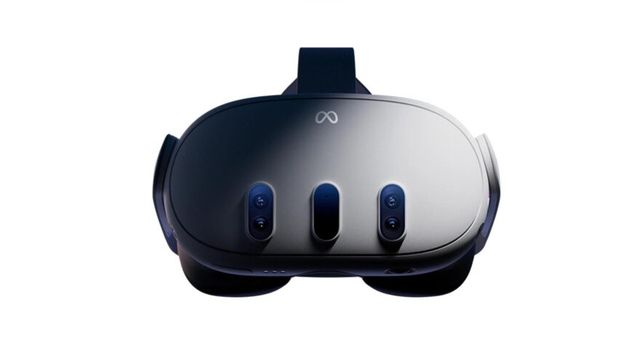
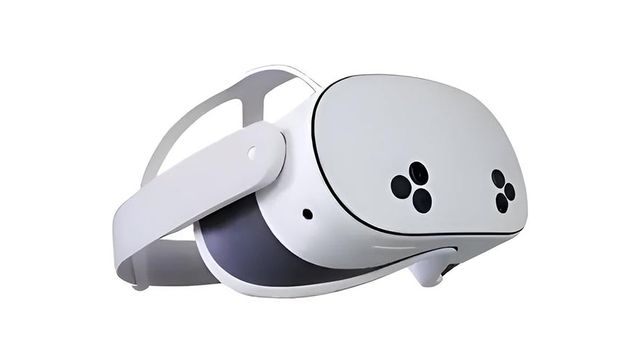
Smartphone VR only makes sense as a low-cost entry point. It is fine for testing, travel, or curiosity. Quest 3S, Quest 3, and Apple Vision Pro are better if you want easy controls, better optics, stronger privacy tools, and modern app support.
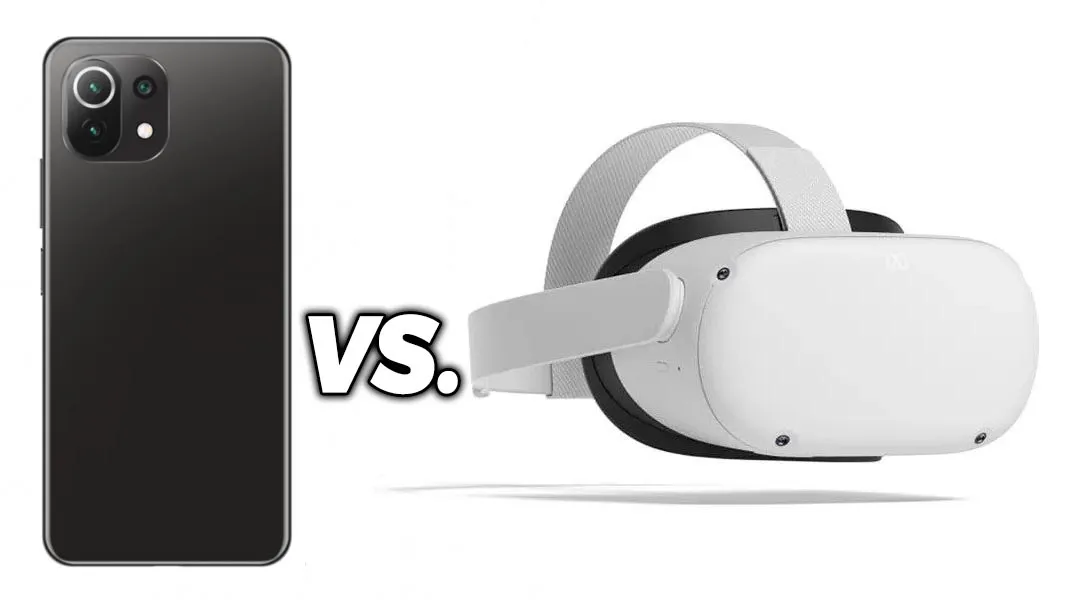
| Device | Best Use | Why It Beats or Loses to Phone VR |
|---|---|---|
| Smartphone VR viewer | Cheapest test setup | Low cost, weak controls, variable quality |
| Google Cardboard | Legacy phone VR | Simple viewer, limited comfort and control |
| Samsung Gear VR | Legacy Samsung phone VR | Better shell if already configured, poor new setup |
| Meta Quest 3S | Budget standalone upgrade | Built-in browser, controllers, color passthrough |
| Meta Quest 3 | Best mainstream upgrade | Pancake lenses and easier VR porn streaming |
| Apple Vision Pro | Premium sharpness | Expensive, but much clearer than phone viewers |
The biggest smartphone weakness is control. Once the phone is inside the viewer, changing scenes usually means removing it. A standalone headset gives you controllers, hand tracking, browser controls, and better recentering.
The second weakness is heat. Phones can warm up during VR playback because they handle screen brightness, motion sensors, video decoding, and wireless streaming at once. Remove thick cases and stop if the phone gets hot.
Common Smartphone VR Porn Problems
Troubleshoot smartphone VR porn in this order: format, browser, player, file size, then viewer fit. Most failures come from the wrong SBS mode, a mobile player that no longer supports VR mode, or a phone struggling with large files.
| Problem | Likely Cause | Fix |
|---|---|---|
| No VR icon | Site or browser lacks mobile VR mode | Try downloads or another browser |
| Two images do not merge | Wrong format or bad viewer alignment | Choose 180 SBS and adjust phone position |
| Scene looks flat | Player is in 2D mode | Switch to Cardboard, VR, or SBS mode |
| Video stutters | File is too heavy | Drop from 6K or 8K to 4K or 5K |
| Phone gets hot | Long playback or high decode load | Remove case, stop, and use shorter sessions |
| Controls are unreachable | Phone is inside viewer | Start playback before insertion |
| Download is hard to find | Mobile file handling issue | Use Files on iPhone or file manager on Android |
Do not troubleshoot everything at once. Use one short scene. Change one setting. Then test again. That gives you a clear answer fast.
If every phone setup feels bad, the problem may be the category, not your phone. Smartphone VR is a compromise. A standalone headset fixes most of these problems.
Is Smartphone VR Porn Worth It?
We recommend smartphone VR porn only for cheap testing, travel, or users who already own a viewer. It is still better than flat 2D when everything lines up, but it falls behind standalone headsets in clarity, controls, comfort, and session length.
Use smartphone VR if you want to spend very little. It works best when you already own the phone and only need a cheap viewer. It is also useful for checking whether VR porn is interesting before buying real hardware.
Do not overinvest in phone VR accessories. If you are about to buy a premium phone viewer, Bluetooth controller, and multiple apps, compare the total cost with a used Quest 2 or a new Quest 3S.
For a deeper phone-viewer path, use the Google Cardboard porn guide. For the easiest modern path, use the Meta Quest 3S porn guide.
Smartphone VR Porn FAQ
Can you watch VR porn on a smartphone?
Yes. Smartphone VR porn still works on iPhone and Android if you use a phone VR viewer, a browser or mobile VR player, and 180-degree side-by-side video. It is a budget setup, not a replacement for Quest 3S or Quest 3.
Can you watch VR porn on iPhone?
Yes. iPhone can work for smartphone VR porn through browser streaming or downloaded SBS files. Use Safari, Files, and a compatible VR video player such as Mobile VR Station. File handling is less direct than Android.
Can you watch VR porn on Android?
Yes. Android is the easier phone platform for downloaded VR porn because file access is more flexible. Use Chrome or another mobile browser for streaming, then use a trusted VR video player for local SBS files.
Is iPhone or Android better for smartphone VR porn?
Android is easier for downloaded smartphone VR porn because file access is more flexible. iPhone can still work through Safari, Files, and apps like Mobile VR Station, but local file handling takes more steps.
Is my Android fast enough for VR porn?
Yes, if it has a gyroscope and plays 4K video smoothly. The test is simple: stream one short 180-degree SBS scene, then play a downloaded 5K file for ten minutes. If both stay smooth and the phone stays cool, your Android is fast enough. Stutter or heat means you drop to 4K files, not that the phone has failed.
Is streaming or downloading better for smartphone VR porn?
Streaming is better for the first test. Downloading is better for quality after you know the setup works. Stream one short scene first, then download a 4K or 5K SBS file if the browser stream looks soft.
How to download VR porn on phone?
Open the scene page in your phone browser, choose the mobile, phone, or SBS download option, and pick 4K or 5K for the first file. On Android the file lands in Downloads, and you open it from a file manager in a VR player that supports 180-degree SBS. On iPhone, save it to Files, then share it into a player such as Mobile VR Station. Method 2 above walks through both flows.
How to make VR porn fullscreen on phone?
Tap the player’s VR, Cardboard, or SBS icon, then turn the phone to landscape. Most fullscreen problems are browser problems: Safari and Chrome hide the icon until auto-rotate is on and the address bar is dismissed. If the icon never appears, download the file and open it in a mobile VR player, which shows the split-screen view fullscreen by default.
What is SBS playback?
SBS means side-by-side. The video contains separate left-eye and right-eye views. A phone VR viewer and player split the screen, then the lenses merge those views into stereoscopic depth.
Can a smartphone play 8K VR porn?
Some phones can open large files, but 8K is a poor first choice for smartphone VR porn. Phone viewers rarely show enough detail to justify the storage, heat, and stutter risk. Start with 4K or 5K.
How good is VR porn on a cell phone?
Better than flat video, worse than any standalone headset. Cell phone VR porn is a budget experience: the 180-degree SBS depth works, but a phone viewer shows a softer image, a narrower view, and no controls once the phone is inside. It is good enough to find out whether VR porn interests you, not good enough to replace a Quest 3S.
Is there a VR porn app for Android?
Google Play does not carry adult VR porn apps, so use a two-part Android setup: the site’s mobile browser player for streaming, plus a general VR video player from Google Play for downloaded 180-degree SBS files. Skip random APKs that promise adult VR apps. A browser plus one trusted SBS player covers every site in our ranking.
Do I still need Google VR Services for smartphone VR porn?
No. Don’t build the setup around Google VR Services. Current phone VR depends more on your browser, mobile VR player, viewer calibration, and whether the site still offers phone-friendly SBS playback.